
How Clavenzo works
High level, in plain language, with nothing important left out. If you want the short version: your phone or computer makes a key, the key is your address, and everything between two devices is encrypted with keys only those two ever hold.
Your identity is a key, not an account
Most messaging apps start by asking for a phone number. That number is issued by a carrier, tied to a legal name, transferable by anyone who can persuade a shop assistant, and looked up by anybody who has it. It is a poor foundation for a private conversation.
Clavenzo starts differently. The first time you open it, the app generates a cryptographic key pair on the device. The public half becomes your address. The private half stays on the device. It is never backed up to a cloud and never held by us. It leaves the device only if you export it yourself, sealed with a one-time code.
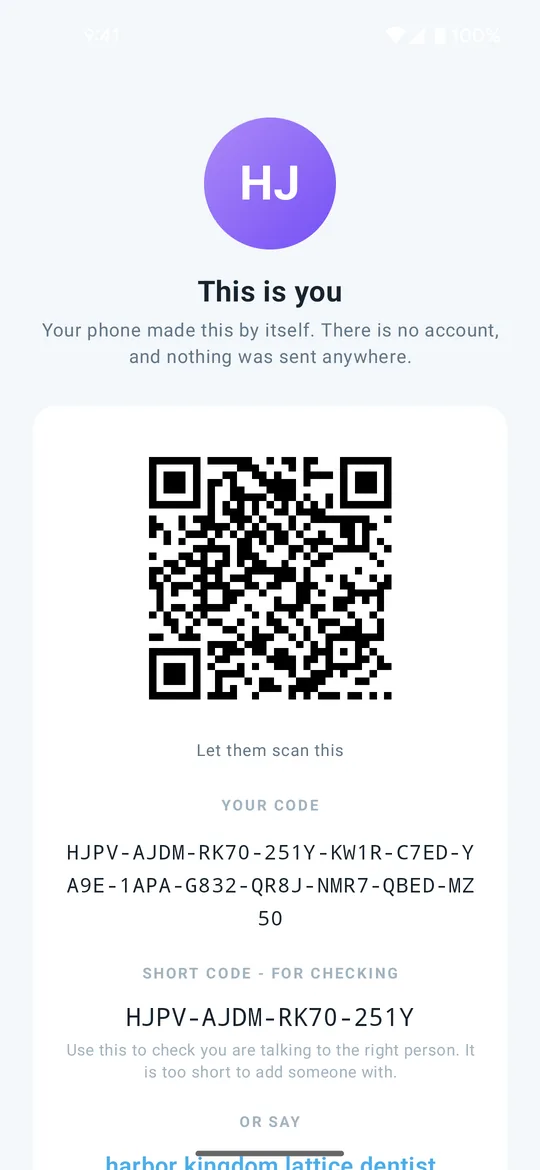
Your address is shown two ways: a 16-character code you can read out or paste, and a QR code someone can scan. There is also a shorter code used only for checking you are talking to the right person. It is too short to add somebody with, but long enough to compare aloud.
What happens when you place a call
Two phones need to find each other and then agree on a key. Clavenzo does the second part in a way that makes the first part uninteresting to an eavesdropper.
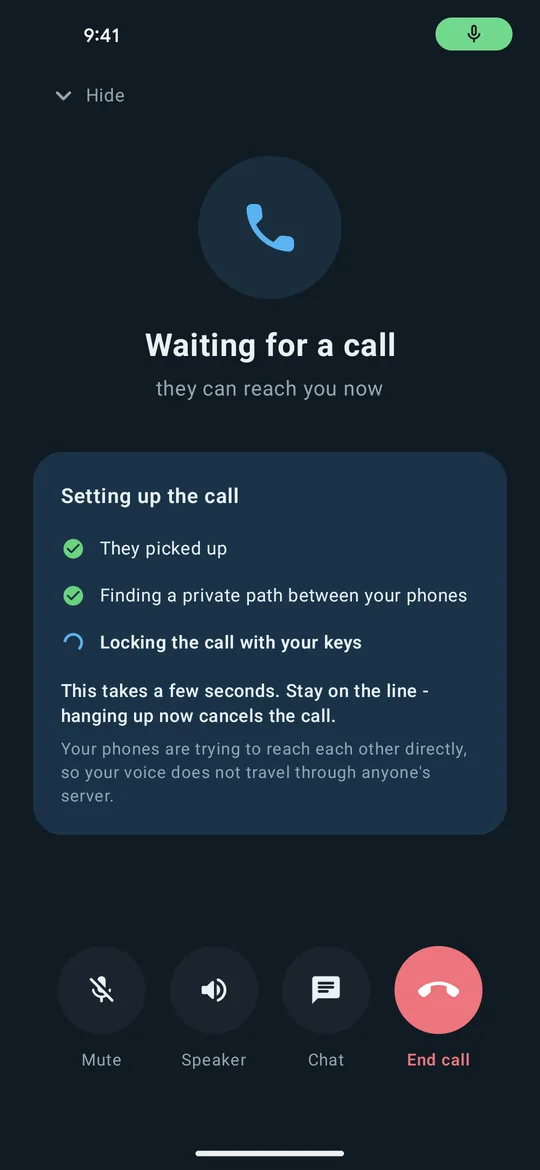
- Finding each other. If you call somebody listed under Nearby on the same Wi-Fi, the phones connect directly and no server is involved. Otherwise a small rendezvous service delivers a sealed offer, and the two phones try to build a direct path between them. To do that, each phone tells the other its network addresses, so the other person's app learns your IP address.
- Agreeing on a key. The two devices perform a signed ephemeral X25519 exchange, and a moment after connecting they add a post-quantum key exchange, ML-KEM-768, on top. 'Ephemeral' is the important word: the keys are made for this one call and destroyed when it ends.
- Talking. Speech is encoded to 33 bytes every 20 milliseconds, and every one of those packets is individually encrypted and authenticated. To anything watching the network, the contents look like random noise, although the timing of the packets can still show when somebody is speaking.
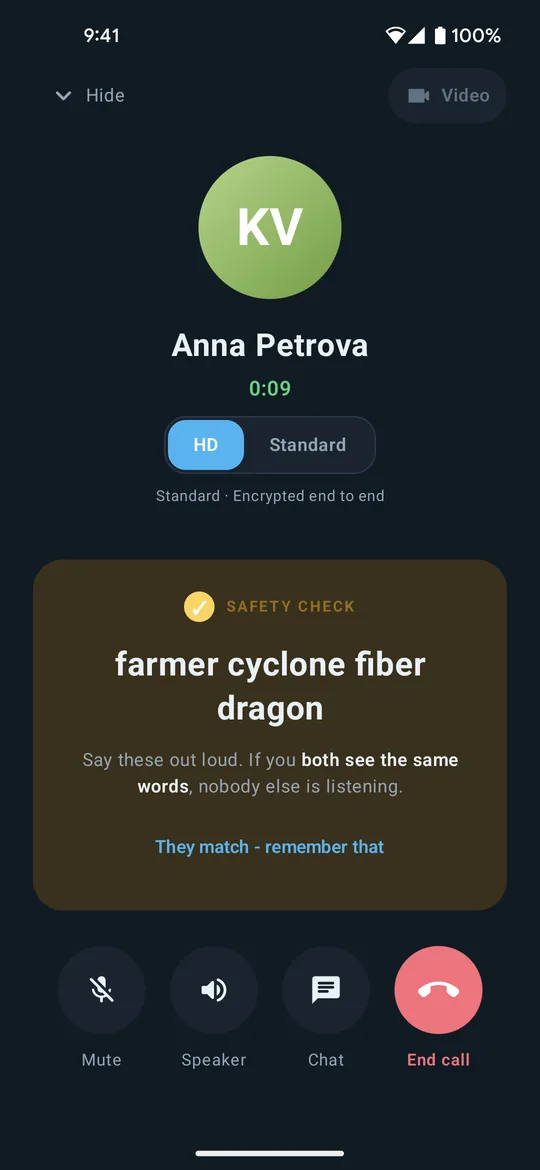
- Checking. Both phones derive four words from the key that was actually agreed. Say them out loud. If they match on both screens, there is no third party in the middle.
That last step is the part people skip and the part that matters most. Encryption guarantees that whoever holds the other key can read you. It cannot, on its own, tell you who that is. The four words are how you find out.
Why a recording of today's call stays unreadable
A common and realistic attack is a patient one. Record the encrypted traffic now, get hold of the key later (by subpoena, by theft, or by breaking into a device years afterwards), and decrypt the recording at leisure.
Ephemeral keys defeat this. The key that actually encrypted your call existed for the length of the call, on two devices, and was destroyed at the end. Your long-term identity key only ever signs the exchange; it never encrypts a single second of audio. Compromising it tomorrow lets somebody impersonate you tomorrow. It does not let them open what was recorded yesterday.
This property is called forward secrecy, and it is the single most valuable thing an encrypted call can have.
Every call also re-keys with ML-KEM-768, a post-quantum algorithm, within a fraction of a second of connecting, when both apps support it. It answers the same patient attacker with a better tool: traffic recorded now and opened later by a quantum computer. Messages and files are different, for now. They are sealed with RSA and ML-KEM-768 together, but today the ML-KEM key is derived from the RSA key, so we do not call them post-quantum yet. And a message that waits on the server for a phone that is off has no forward secrecy: someone who recorded it and later obtained the recipient's identity key could open it.
What the server does, and what it cannot do
There is one job a peer-to-peer app cannot do by itself: wake a phone whose app is closed. A rendezvous service exists for that, and it is built to know as little as possible while still doing it.
- It never sees content. Offers and offline messages are sealed to the recipient's key before they leave your phone. The service stores bytes it cannot open.
- It does not know your name. Its directory holds each device's address, public keys and platform, and a phone's push token. It has no names, no phone numbers and no email addresses, because the app never asks for any. Anyone who has an address can ask whether it is registered.
- Its notifications carry no sender and no content. The push that wakes your phone says only whether it is a call or a message. On iPhone a message notification reads "New message" and "Tap to read". Apple and Google can see that something was sent and when, but not what it was or who sent it.
- It forgets quickly. A call invitation lives 60 seconds. A sealed offline message lives at most 72 hours. A device registration expires after 30 days without renewal.
- It sees who is calling whom, while the item waits. A call invitation or an offline message has to name the key it is for and the key it is from, so the server sees both pass. It keeps no record of the pair once the item is gone: an invitation is forgotten after 60 seconds and a message after 72 hours at most. Hiding the sender as well (sealed sender) is on our list. Our servers sit behind Cloudflare, which sees the same details, and never the content.
When a call cannot be made directly, usually because both networks refuse it (which happens on some mobile carriers), a relay forwards the encrypted packets: our own relay over UDP, then over TCP, then Cloudflare's relays. The relay only passes data along. It has no key and cannot get one. It does see the IP addresses of both devices. There is no setting today that sends every call through a relay, and on every call, relayed or not, each device learns the other's IP address.
Calls on the same Wi-Fi
Two devices on the same Wi-Fi network, or joined to the same hotspot, can find each other and hold a full encrypted call with no internet connection and no server. Today that works on Android once the phone being called has tapped Ready to receive, on iPhone while Clavenzo is open on it, and on a computer whenever Clavenzo is running; the iPhone may ask for permission to use the local network. Messages and files travel the same way, encrypted, while the app is open on both devices.
This is not a fallback mode with less security. It is the same encryption and the same safety words, with the rendezvous step replaced by local discovery. It is useful on a flight, in a building with no signal, at a site with a private network, and anywhere the internet is unreliable or unwelcome.
When things break
Clavenzo was designed around a hard question: what still works when things go wrong? A storm takes out a data centre. A country throttles its connections. A provider goes dark. The towers fail and only a local network is left. Each of those has an answer below.
- No internet at all. Phones on the same Wi-Fi or hotspot can call each other directly, within the limits described above. No server, nothing outside the room.
- The servers are small, and there are several. They only introduce two phones and hold sealed messages. Media never touches them unless a relay is needed, so the whole service runs on a handful of small machines with different providers in different places.
- No single one of them matters. Your phone registers with every server and collects from every one. If one goes down the others carry on, and a call is answered through whichever server delivered it.
- The list of servers is signed. Phones fetch it from the servers themselves and check it against a key that never touches a server. New servers can join without an app update, and an old list can never be replayed to send phones somewhere they should not go.
- No DNS, no problem. The list includes plain network addresses with pinned certificates, so phones can still reach a server when a name server is down or lying, or a content-delivery network fails, without trusting any certificate authority.
- Two relays, one ladder. When two networks refuse a direct path, a relay carries the encrypted call: our own relay over UDP, then over TCP, then Cloudflare's relays. If either fails, you lose a step, not the call.
- Thin and unreliable links. Speech needs 13.2 kbit/s. The jitter buffer measures the network and adapts to it, lost packets are concealed rather than clicked through, and large files pause and resume by themselves.
- Networks that interfere. SOCKS5 and HTTP CONNECT proxies are built in, for networks that force one or where the local resolver is blocked or tampered with.
Messages, photos, files and voice messages
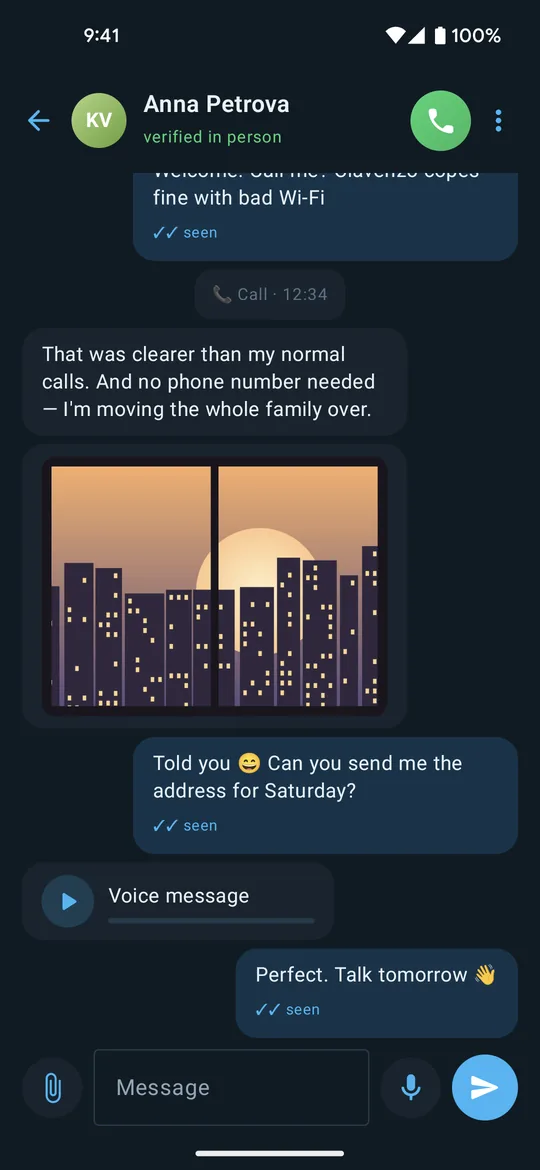
Messaging works on the same encryption. Text, photos, files and voice messages are encrypted to the recipient, and the conversation is stored in the app's private storage on your phone. That storage is protected by the phone's own encryption and screen lock, and it is left out of Google and iCloud backups. On a computer, conversations are kept in the app's own folder under your user account.
A message to somebody whose phone is off is sealed to their key and left with the rendezvous service, which holds it for at most 72 hours without being able to read a byte of it.
Files over 1 MB are a deliberate exception: they travel phone to phone only, never through a server. If a direct path is not available yet, the transfer waits and resumes by itself rather than quietly routing your large file through somebody else's machine.
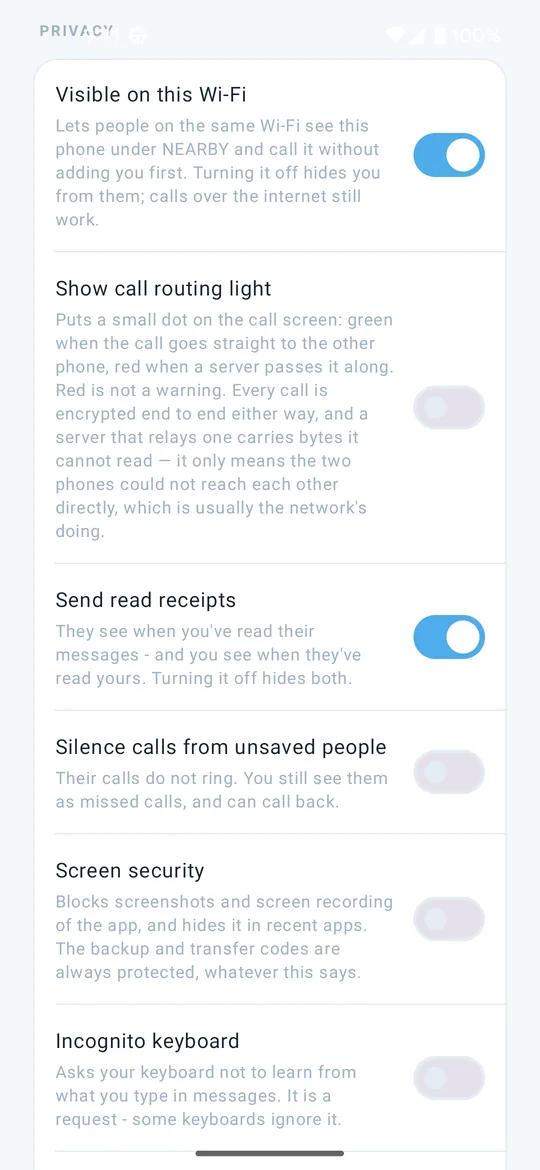
There are also disappearing messages, per conversation, counting down from when you send and from when they read; read receipts you can switch off for both directions at once; and a message request state, so somebody who is not in your contacts cannot tell whether their message arrived or was read until you accept them.
The things you can turn on
- App lock. Asks for your phone's screen lock (PIN, pattern, fingerprint or face) when you return to Clavenzo, and for Windows Hello on Windows. Calls still ring, and notifications stop showing message text. It is not offered on Linux yet.
- Screen security. On Android, blocks screenshots and screen recording of the app and hides it in the recent-apps list. On iPhone, where no app can block a screenshot, it hides the app in the app switcher. On Windows, it keeps the window out of screenshots, screen recordings and screen sharing; on Linux it cannot be enforced. Backup and transfer codes are always protected, whatever this setting says.
- Incognito keyboard (Android only). Asks your keyboard not to learn from what you type. It is only a request and some keyboards ignore it, which is why the app says so. iPhone gives apps no such request to make.
- Proxy support. SOCKS5 or HTTP CONNECT, for networks that require a proxy or where the local name server is blocked or unreliable.
- Silence calls from unsaved people. Their calls do not ring, but they still appear as missed calls you can return.
Moving to a new phone
Two separate exports, deliberately kept apart, because they carry different things.
An encrypted backup holds your conversations, photos, call history and contacts as one file you keep wherever you like. It opens only with a code shown once at export and stored nowhere. Importing adds what is missing and never overwrites what is already there.
An identity export moves the key that is your address. It is sealed with its own one-time transfer code, stands behind your phone's screen lock, and is the only way that key ever leaves a device. Importing one makes the new phone answer as that identity.
Where this design stops
Every design has limits. These are ours.
- Who talks to whom. A call invitation or an offline message names the two addresses it passes between, so the server, and Cloudflare in front of it, see that pair while it is held. A direct call's opening handshake also carries both identity keys in the clear, so somebody watching that network can tell which two identities are talking. Neither reveals a word of what is said. Both are metadata, and both are on the list to fix.
- Timing and metadata. The server necessarily sees when your device checks in. Packet timing during a call can reveal when somebody is speaking, even though nothing of what is said escapes the encryption.
- Your IP address. On every call, even one that ends up relayed, the other person's app learns your IP address, because the two devices exchange network addresses to look for a direct path. It can show roughly where you are. A relay also sees both IP addresses.
- Your device is the weak point. Anyone holding your unlocked phone has your messages. Malware on the phone reads what you type before it is ever encrypted. This is true of every messenger ever written.
- It has not been independently audited. It is built carefully and tested heavily. That is not the same thing and we will not pretend it is.
If you need protection from someone who can watch an entire network, understand these limits, use the proxy support, and do not stake anything you cannot afford to lose on any single tool, this one included.